Carls Screens & Enclosures

Build your dream golf simulator with Carl’s Place — the trusted name in DIY and professional-grade sim gear. From high-performance impact screens to full simulator enclosures and curved display systems, Carl’s Place products are engineered for performance, durability, and clean visual design.

7 products

Products

Buying guide

Whether you're a weekend golfer setting up in the garage or designing a commercial-grade studio, this collection features everything you need to bring your simulator space to life.

Shop the full lineup:

  • Impact Screens – Choose from Standard, Preferred, Premium 3-Layer, or High-Contrast Gray to fit your budget and projector setup

  • DIY Enclosures – Budget-friendly kits where you supply the EMT pipe

  • Pro Enclosures – Full blackout enclosures with premium impact screens (framing included or sold separately)

  • Curved Enclosures – Immersive wraparound screen kits for ultra-premium setups

  • Replacement Panels & Accessories – Bungees, fabric panels, and everything in between

All Carl’s Place products are compatible with top-tier launch monitors like SkyTrak+, Mevo+, and GC3 — and ship fast from trusted U.S. warehouses.

Why Rain or Shine Golf?
We’re more than just a retailer — we’re golf simulator experts. Every Carl’s Place product we sell is backed by our low price guarantee, fast shipping, and expert support team ready to help you build your perfect setup.

Carls Enclosure Comparison

  DIY Pro Curved Built-In
Screen Material Your choice of Standard, Preferred or Premium Premium Premium Your choice of Standard, Preferred or Premium
Structure 1" EMT Frame 2" EMT Frame 2" EMT Frame Wall anchored cable system
Minimum ceiling height 98" 108" 108" 96"
Ceiling Material Fabric, black nylon Fabric, black knit or sprinkler system compliant netting Blackstop™ Fabric Optional padded panels
Wall Material Fabric, black nylon Fabric, black knit Blackstop™ Fabric Optional padded panels or curtains
Designed for Home golfers Upscale Homes and Commercial Venues Upscale Homes and Commercial Venues Anyone skilled in DIY projects looking for a permanent golf simulator room solution

Questions

Common questions

What pipes do I need to construct the curved enclosure kit frame?

Our Curved Golf Enclosures require 2-inch EMT ((Electrical Metal Tubing/Conduit). We recommend you add a Pipe Framing Kit to your order so you get pre-cut, perfectly sized, and marked pipes for your enclosure frame. That way all you have to do is assemble your frame and enclosure.

Note, these pipes can be difficult to source locally. Be sure you can purchase it near you before making your final buying decision. Either way, we will provide a diagram indicating the required cut lengths for your specific size kit.

Does a curved golf simulator require a special projector?

For the best image, where the image aligns seamlessly with the curved screen, you have two options:

  1. Use a projector with built-in image warping capabilities.
    Carl's Place offers the BenQ AK700ST, and BenQ LK936ST, and LG ProBeam BU53RG projectors, which all have integrated warping capabilities.
  2. Pair any standard projector with warping software, such as Immersive Display Pro. Screen warping software allows you to “pinch” the projected image to accommodate the depth in the curve.

Important Note: When mounting your projector, measure the distance to the leading (front) edge of the curved screen closest to the golfer, NOT the deepest part of the curve.

What are EMT pipes?

EMT stands for Electrical Metal Tubing, also known as, Electrical Metal Conduit. We often just refer to them as pipes on our website. You need EMT  (pipes) to build the frame for your enclosure/screen. Do not mistake PVC pipes for EMT. PVC will not work with our fittings. You have 2 options on how to get the necessary pipes:

  1. Add a Pipe Framing Kit. (You'll see these as accessories on our DIY and Pro Golf Enclosure Kits.
  2. Source EMT pipes at your local building supply store.
What pipes do I need to construct the pro enclosure kit frame?

Our Pro Golf Enclosures require 2-inch EMT ((Electrical Metal Tubing/Conduit). We recommend you add a Pipe Framing Kit to your order so you get pre-cut, perfectly sized, and marked pipes for your enclosure frame. That way all you have to do is assemble your frame and enclosure.

Note, these pipes can be difficult to source locally.  Be sure you can purchase it near you before making your final buying decision. Either way, we will provide a diagram indicating the required cut lengths for your specific size kit.

What pipes do I need to construct the enclosure kit frame?

Our DIY Golf Simulator Enclosures require 1-inch EMT (Electrical Metal Tubing/Conduit). We recommend you add a Pipe Framing Kit to your order so you get pre-cut, perfectly sized pipes for your enclosure frame. However, you can source EMT pipes on your own. Your kit will include all details on what lengths and quantities of pipes are required.

How much space do I need for the enclosure?

When measuring for a golf simulator, make sure you take into account:

  • Buffer space: You don't want your golf simulator right up next to any walls or ceiling. Balls that contact the walls or ceiling can cause damage and have unwanted bounce back.
  • Footprint of the golf enclosure: Make sure to check the actual dimensions of the enclosure footprint. Our C-Series enclosures have built-in buffer space in the rear with the backset rear fitting.
  • Safe golfing distance away from the screen: For the safety of both the golfer and the screen, we recommend standing a minimum distance of 10 to 12 feet away from the screen.
  • Height of the golfer(s)
  • Length of the golf club(s)
  • Turf thickness, heating ducts, and soffits
  • Furniture and access to doorways
Are there safety concerns when using a golf simulator?

We want your indoor golf set up to be fun, help improve your game, and be safe for everyone.

  • Make sure to follow the assembly manual provided with your enclosure.
  • Keep children, pets, and spectators out of swing range.
  • Protect windows, cars & neighboring homes.
Can I iron or steam a golf impact screen?

We do NOT recommend ironing your golf screen, simply because it is very easy to damage the screen. And we want your golf screen to last you a long, long time. With wrinkles and fold marks, the best thing is prevention. Unpack your new screen immediately, and if you need to store it, fold it very loosely. But if you're reading a section on ironing your golf screen, it's probably too late for prevention. Know that mounting your golf screen to a frame with tension, like with our zip ties or ball bungees, and letting it relax for a couple of days will smooth out most wrinkles.

That being said...

We have also had success using a steamer to help get wrinkles and folds out. Using a clean, consumer-grade steamer with distilled water will help accelerate the wrinkle removing process, and should avoid leaving water marks on your screen.

How far away should I stand from my impact screen?

For the safety of both the golfer and the screen, we recommend standing a minimum of 10-12 feet away from the screen.

Reviews

What customers say about Rain or Shine

“Rain or Shine Golf has been amazing. I had questions about the product and they answered right away. They kept me informed throughout the entire process. I would definitely recommend them to anyone.”
Alejandro F. · Verified buyer
“Rain or Shine was great to work with. Answered questions and the delivery was super fast.”
John W. · Verified buyer
“Great customer service, great communication. Rain or Shine is where I get all of my simulator purchases!”
Robby N. · Verified buyer
“My experience with rain or Shine has been outstanding. They were super helpful and quick to respond to any problems I had”
Joe K. · Verified buyer
“I always love working with the team at Rain and Shine Golf.”
Gregory H. · Verified buyer
“Fantastic service. Reached out via chat for an order and had it placed within a few minutes and receive a shipment notification the same day. Highly recommend Rain or Shine!”
Chris · Verified buyer

Free design consultation

Not sure which one fits your room?

Book a free design consultation. Share your room size and how you want to play, and we will help you pick a setup that fits.

Sim Builder

Build your golf simulator

Start with your room, then pick every piece in the order a room gets built. Everything is checked against your space, so nothing lands in your cart that won't fit. Watch it come together in 3D, then send it to a designer for a quote.

  1. Your room
  2. Technology
  3. Screen and enclosure
  4. Turf and flooring
  5. Room finishings
  6. Next-level accessories
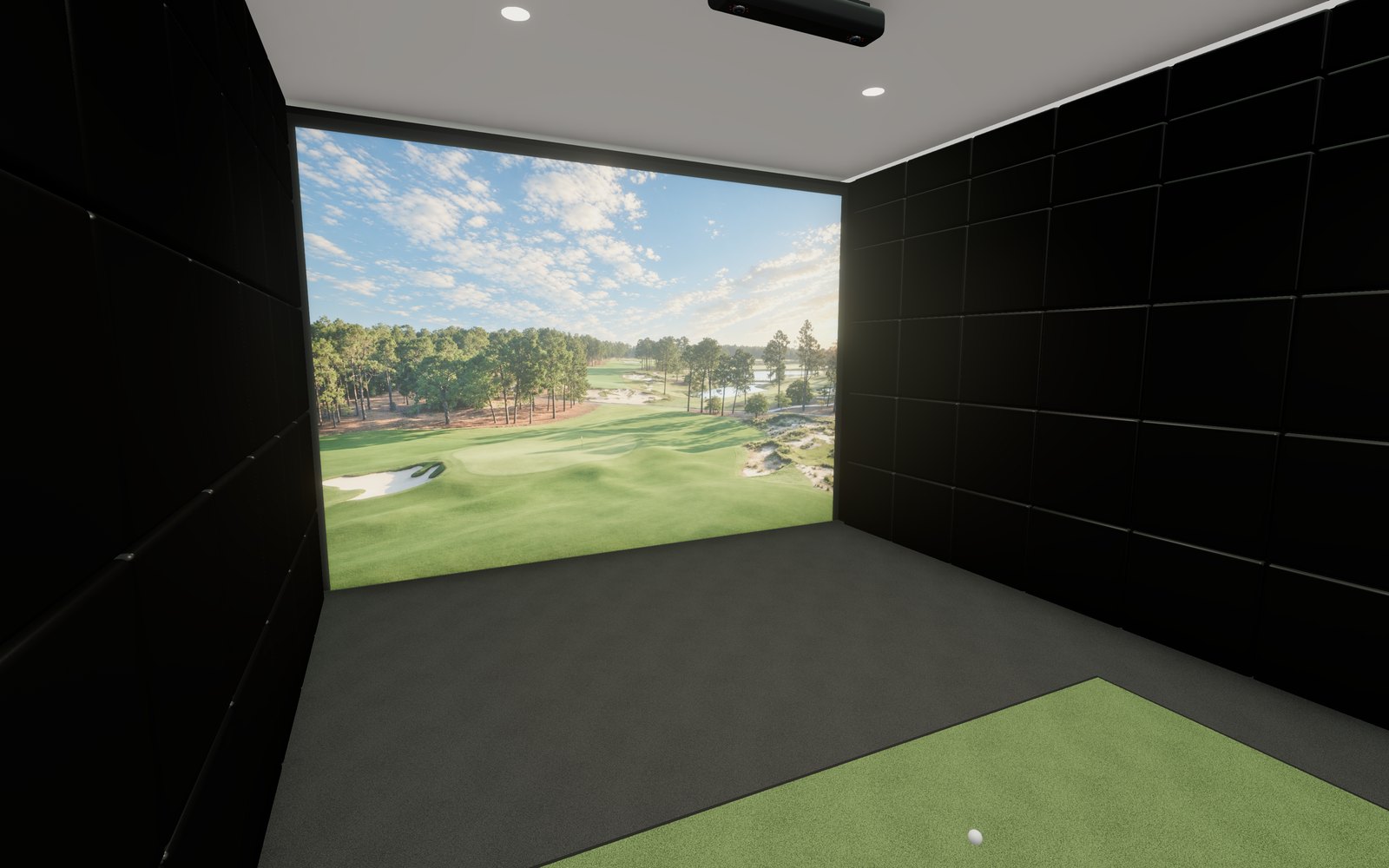
The Rain or Shine Golf Sim Builder: six build steps beside a 3D view of your room